


Decibel Meter: Sound Meter App
3.8287.00 Reviews
App Specs
- Version
- 3.0.1
- Updated On
- License
- Free
- Downloads
- 1,000,000+
- Developer
- GeniusTools Labs
- Categories
- Music & Audio
- Platform
- Android, iOS
Screenshots
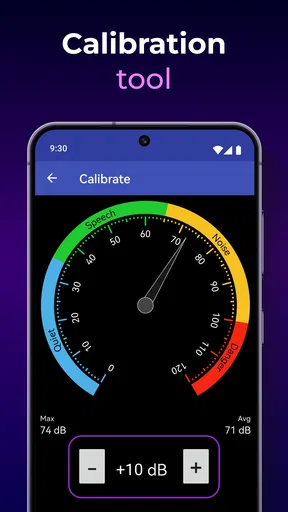
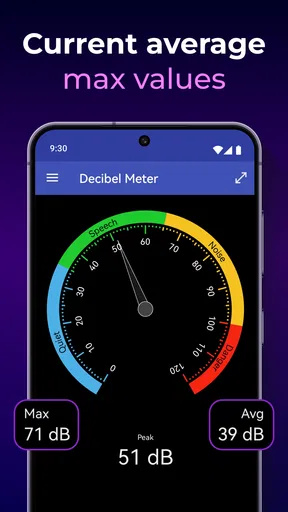
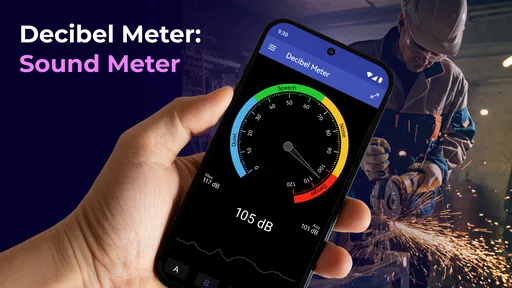
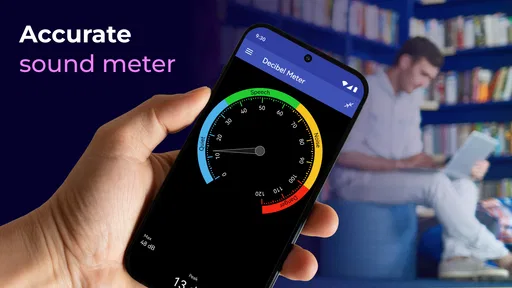
 Analysis by AppCompare
Ever found yourself in a situation where you just need to know how loud your surroundings are? Whether you're testing the noise levels at a concert or simply checking if the neighbors are getting a bit too rowdy, the Decibel Meter: Sound Meter App is here to save the day. I recently downloaded this app out of sheer curiosity, and let me tell you, it’s been quite the game-changer.
That first glance is part of the appeal: I can open a sound meter when a room feels louder than usual and get a quick sense of what is happening without setting up dedicated equipment. The app is free to download, though it includes in-app purchases, and its Everyone age rating makes it accessible to a broad audience. I would still treat a phone reading as a practical reference rather than a formal measurement, especially when the result might affect a health, workplace, or housing decision.
Getting Started
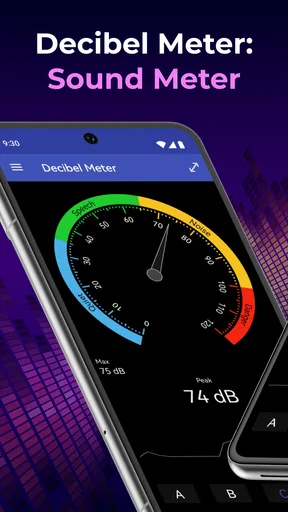
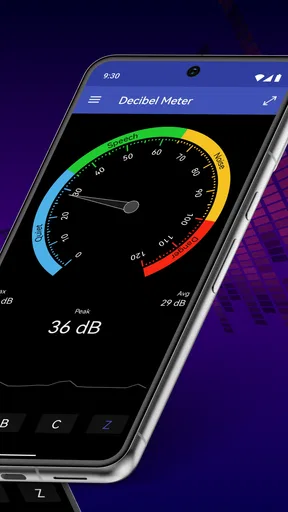
First things first, downloading the Decibel Meter: Sound Meter App is a breeze. Available on both Android and iOS, it’s just a quick tap away in your app store. Once installed, the simplicity of the user interface immediately stands out. The main screen is straightforward, displaying the current decibel level with a nifty little needle that moves as the noise level changes. It feels like you're holding a professional tool right in your hand.
In day-to-day use, the useful workflow is simple: choose a spot, keep the phone in a consistent position, watch the live level, and check the graph for changes rather than reacting to one momentary jump. That last part matters. A passing shout or a dropped object can briefly spike a reading, while a longer observation better reflects the room’s usual sound. I’d use the app to compare situations, not to turn a single number into a verdict.
Features That Stand Out
One of the coolest features is the real-time noise monitoring. The app uses your phone’s built-in microphone to measure sound levels, and it does a pretty decent job. I tested it against a standalone decibel meter, and the readings were surprisingly close. This means whether you’re curious about the noise level in your car, at a party, or even in a library, you’ll get a pretty accurate picture.
That comparison is encouraging for casual checks, but it does not make every phone behave like a calibrated instrument. Microphone placement, the phone case, and differences between device hardware can influence what the microphone picks up. For a useful comparison, I keep the phone at roughly the same distance and angle each time, avoid covering its microphone, and compare similar stretches of sound. If I need a result that must stand up to a technical or official review, I would use suitable measurement equipment instead.
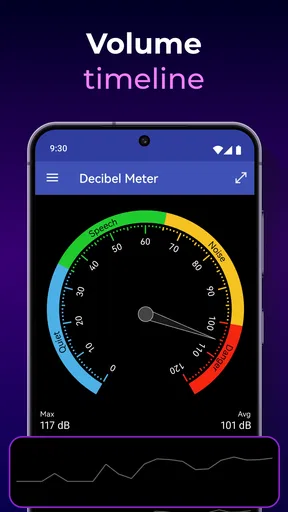
Another feature that I found particularly useful is the data history. The app keeps track of the noise levels over time, which is great if you need to analyze patterns. Maybe you’re trying to determine the quietest time of day in your office, or you want to prove to your landlord that your upstairs neighbors are indeed hosting a daily marching band practice. Either way, this feature has got you covered.
Worth Reading Before You Choose

EA SPORTS FC Mobile 26 Is a Bigger Football Game, but It Takes Time

Flipboard Shows What News Apps Must Do Beyond the Feed

Switching to Android Auto Means Rethinking Your Driving Routine

Google Calendar Makes a Crowded Week Easier to Manage

Ludo King Makes the Most of the Minutes Between Plans

Baby Panda World Brings Quick Play to Modern Phones, but Its Game Library Feels Busy
For a recurring noise problem, I’d use that history as a starting point for a careful log: note when I began observing, where I placed the phone, and what was happening nearby. A pattern across several checks is more informative than a dramatic peak captured once. I would not assume the app’s history alone creates formal evidence or replaces a written record; if I were discussing the issue with a landlord, I’d describe the observations plainly and keep the context with them.
Smooth Navigation and User Experience
Navigating through the app is a piece of cake. The settings menu allows you to adjust the sensitivity of the microphone, which can help if you’re trying to measure quieter sounds. Plus, there’s a neat little feature where you can switch between different noise levels like "Quiet Room" or "City Traffic," giving you a better idea of what the numbers actually mean.
I’d use those reference labels as quick orientation, not as exact descriptions of every room. A quiet room can still have a refrigerator, ventilation, or distant street noise, and a busy street changes from one moment to the next. If I want to compare two places, I find it more useful to run the same kind of check in each location than to rely on a label to settle the comparison.
The graphical representation of sound is another highlight. The app provides a visual graph that updates in real-time, showing the peaks and troughs of the noise levels around you. It’s not only helpful but also pretty fun to watch.
The graph also gives me a practical way to distinguish a steady background hum from brief interruptions. For instance, I can watch a room while a fan is running, then see what changes when someone opens a door or starts talking. I would avoid trying to inspect the screen while walking through a noisy area; stopping in a safe place makes the display easier to follow and keeps the check from becoming a distraction.
Practical Uses
Now, you might be wondering, "When will I actually use this?" Well, apart from the obvious fun factor, there are practical applications too. If you're a musician or a sound engineer, this app can act as a quick reference tool. Teachers might find it handy to ensure classroom noise stays at a manageable level. And for those concerned about hearing health, monitoring noise exposure could be invaluable.
A realistic everyday use is checking a home office that becomes distracting during calls. I’d take a short reading at my desk during a quiet period, then repeat it when nearby activity picks up, keeping the phone in the same position. The result can help me decide whether to close a door, move the desk, or choose a quieter time for focused work. It is a small, low-effort check—not a substitute for a proper acoustic assessment or a guarantee that a particular sound level is safe for everyone.
For a teacher, the live display could make a classroom’s rising volume visible in the moment, but I would use it as a gentle cue rather than a score students are expected to chase. For a musician, it can help compare rehearsal spaces or notice how the room changes as more people arrive. Those are situations where an approximate, immediate read is handy; detailed sound engineering still calls for equipment and controls designed for that work.
Compared with simply guessing by ear, a meter gives a number and a visual trend that can make changes easier to notice. Compared with a dedicated handheld meter, the phone is more convenient because it is already with me, but it is also more dependent on the phone’s microphone and how I hold it. Other sound-meter apps may offer different controls or presentations, yet the central trade-off remains: a quick phone-based check is convenient, while a purpose-built meter is the better choice when repeatability and measurement confidence matter most.
On a more personal note, I found myself using it during family gatherings. It turns out, my Aunt Linda’s laughter hits quite the high decibel level! It’s all in good fun, and the app often becomes a conversation starter.
For that kind of playful use, I’d focus on comparing the room before and during the laughter rather than treating one person’s peak as a meaningful ranking. It keeps the moment light and shows how quickly a lively gathering changes the sound around you. I also wouldn’t leave the phone in the middle of a crowded table where it might be bumped or have its microphone blocked; a stable place nearby gives a more useful sense of the overall room.
Choosing the Right Tool for the Job
This is a good fit if you want an easy way to explore everyday sound, check whether a room is noticeably louder at certain times, or make a quick comparison between locations. The app is especially approachable for someone who has never used a decibel meter: the moving needle gives immediate feedback, while the graph and history add context for people who want to look beyond the current reading.
I’d skip relying on it as the sole basis for a workplace compliance decision, a formal noise complaint, or a precise hearing-risk assessment. In those cases, the stakes are higher than a casual estimate, so I’d seek appropriate professional guidance or use measurement equipment suited to the task. I’d also choose another approach if I only need a broad impression and do not want to keep a phone out during a concert, a lesson, or a conversation; sometimes listening and moving away from the source is the more sensible response.
One helpful habit is to decide what question I’m trying to answer before opening the app. “Is this room generally louder after the heating starts?” calls for repeated checks in comparable conditions. “What was that sudden bang?” is better answered by observing the graph around the moment, if I happen to be watching. Keeping the question modest prevents the number from seeming more certain or comprehensive than a phone-based reading can be.
Final Thoughts
All in all, the Decibel Meter: Sound Meter App is a nifty tool that punches well above its weight for a free app. It’s accurate enough for casual use, and the data history feature provides a layer of detail that I didn’t expect. Whether you’re using it for work, fun, or just to satisfy your curiosity, it’s well worth the download.
There is a useful distinction between what the app does well and what I would ask of specialist equipment. It is quick to consult, gives sound a visible shape, and makes repeated informal checks easier to compare. Its limits show up when exact calibration, documented measurement procedure, or a reliable technical conclusion matters. The app’s 3.4 average from around 8,400 ratings, alongside more than 1 million installs, suggests it has found a sizeable audience, though those figures are not a substitute for deciding whether its simple approach suits your own needs.
GeniusTools Labs is the developer, and the current release is version 3.0.1. It was released on July 18, 2020, and requires Android 8.0 or later. The app is free, with in-app purchases ranging from $0.99 to $99.99 per item. I’d check the purchase details in the app before choosing anything paid, and I would not assume that a purchase changes the basic limitation of measuring sound through a phone microphone.
So, if you’ve ever been curious about the noise levels around you, give this app a whirl. It’s like having a pocket-sized sound engineer with you at all times. Trust me, you’ll find all sorts of uses for it, and who knows, you might just find yourself measuring the world around you one decibel at a time.
Pros
- Accurate sound level measurements.
- User-friendly interface and design.
- Supports multiple sound unit measurements.
- Real-time noise monitoring.
- No internet connection required.
Cons
- Ads can be intrusive at times.
- Limited features in free version.
- Calibration may vary by device.
- Requires microphone access.
- No data export option available.
FAQs for Decibel Meter: Sound Meter App
What is the primary function of the Decibel Meter: Sound Meter App?
The Decibel Meter: Sound Meter App is designed to accurately measure sound levels in your environment. It uses the microphone on your device to detect noise and provide readings in decibels (dB). This app is ideal for users who need to monitor noise pollution, ensure safe sound levels, or simply satisfy their curiosity about ambient sounds.
Is the Decibel Meter: Sound Meter App suitable for professional use?
While the Decibel Meter: Sound Meter App is a powerful tool for general use, it may not replace professional-grade equipment for precise measurements required in specialized fields. However, it is suitable for personal use, educational purposes, and preliminary assessments of sound levels. For critical applications, consulting professional tools is recommended.
How accurate is the Decibel Meter: Sound Meter App?
The accuracy of the Decibel Meter: Sound Meter App depends on the quality of your device's microphone. Most modern smartphones offer fairly accurate readings, but external factors like microphone sensitivity and ambient conditions can affect results. For the most accurate readings, ensure your device’s microphone is unobstructed and consider using external calibrated microphones.
Does the Decibel Meter: Sound Meter App require internet access?
The Decibel Meter: Sound Meter App primarily functions offline, as it uses your device's built-in hardware to measure sound levels. However, certain features like data sharing, updates, or cloud storage may require internet access. Ensure you review the app’s permissions and settings to understand its connectivity requirements fully.
Are there any additional features included in the app?
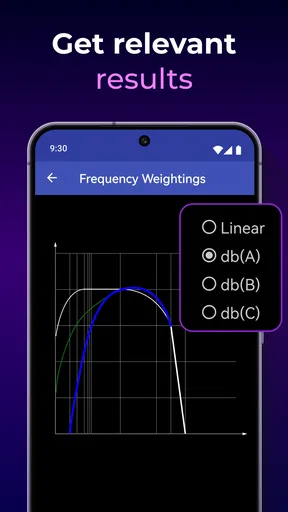
Yes, the Decibel Meter: Sound Meter App often includes additional features such as sound level history tracking, sound frequency analysis, and customizable alerts for specific decibel thresholds. These features enhance the app’s functionality, making it a versatile tool for users interested in detailed sound analysis and monitoring.


